
Smart Browser Habits for Creators, Students & Site Builders
Simple daily habits and free browser tools to save time on text, security, visuals, and web tasks
Smart Browser Habits for Creators, Students & Site Builders
Most of us spend hours every day jumping between tabs, copying bits of text, checking details, and trying to get small digital tasks done without losing momentum. On paper, none of those tasks sound complicated. You need a strong password for a new account, a clean preview image for a video reference, a color code for a button, or a quick check on how a link or address behaves. Yet in real life, scattered workflows and clunky tools quietly  eat up huge chunks of your day.
Think about how easy it is to lose focus when a tiny task turns into a ten-minute detour. You open a heavy program just to do something small, dig through menus you rarely touch, or paste messy text somewhere only to realize the formatting broke halfway through. Over a week or a month, those little delays add up to real frustration—especially when you are juggling study deadlines, content ideas, or side projects.
The good news is that you do not need complicated software setups to work smoothly online. Building a few calm, repeatable habits around fast browser utilities on TechEarnTools lets you handle everyday tasks right where you already are, keep your work organized, and save your mental energy for bigger problems.
Why Everyday Digital Friction Slows People Down
Digital friction rarely comes from one giant obstacle. Usually, it comes from dozens of small speed bumps stacked on top of one another. You copy a line from one place, switch to a note app, forget which version you edited last, and end up double-checking everything twice because the process felt chaotic.
When your workspace is cluttered, even simple chores take longer than they should. A student putting together notes, a content creator researching visual ideas, or someone managing a website all run into the same bottleneck: switching contexts too often breaks concentration. Once your train of thought breaks, getting back into a rhythm takes extra effort.
A better approach is keeping lightweight tools close at hand so small jobs stay small. When a tool opens quickly, does one clear job well, and lets you move on without friction, you stay in control of your time instead of fighting your screen.
Building Stronger Account Security Without Overthinking It
Account security is one of those areas where good intentions often clash with convenience. Everyone knows weak passwords are risky, yet under pressure people still fall back on familiar words, birthdays, or repeated combinations across multiple logins. One leaked password from a minor service can quickly turn into a bigger headache if you reuse it elsewhere.
A smarter habit is generating fresh, unpredictable passwords whenever you create or update an account. Using Password Generator takes seconds and spares you from inventing patterns that are easier to guess than you think. Pair that with a dependable place to store your logins so you never have to rely on memory alone.
Keep these simple security habits in your regular routine:
-
Give every important account its own password: If one login is exposed, unique credentials keep your email, social profiles, and work dashboards from falling like dominoes.
-
Favor length and variety over clever tricks: Replacing a letter with a symbol in a common word is not enough on its own; longer, varied strings hold up much better.
-
Turn on extra verification where possible: Two-factor authentication adds a second checkpoint even if someone somehow gets hold of a password.
-
Pause before clicking unfamiliar links: Take a second to check where a link actually leads before typing sensitive details into any sign-in page.
Smarter Visual Workflows for Creators and Web Projects
Visuals shape how people react to your work long before they read a single sentence. Whether you are planning a video, putting together a web page, or designing small interface elements, clean visual habits make your output look far more intentional.
When creators research topics or study how different covers stand out in a feed, inspecting video previews with YouTube Thumbnail Downloader can be a helpful way to observe layout choices, contrast, and visual hierarchy. Watching what works—and what feels cluttered—helps you design sharper thumbnails and graphics of your own without copying anyone else's work.
Once you start shaping your own assets, small technical details matter just as much as style:
-
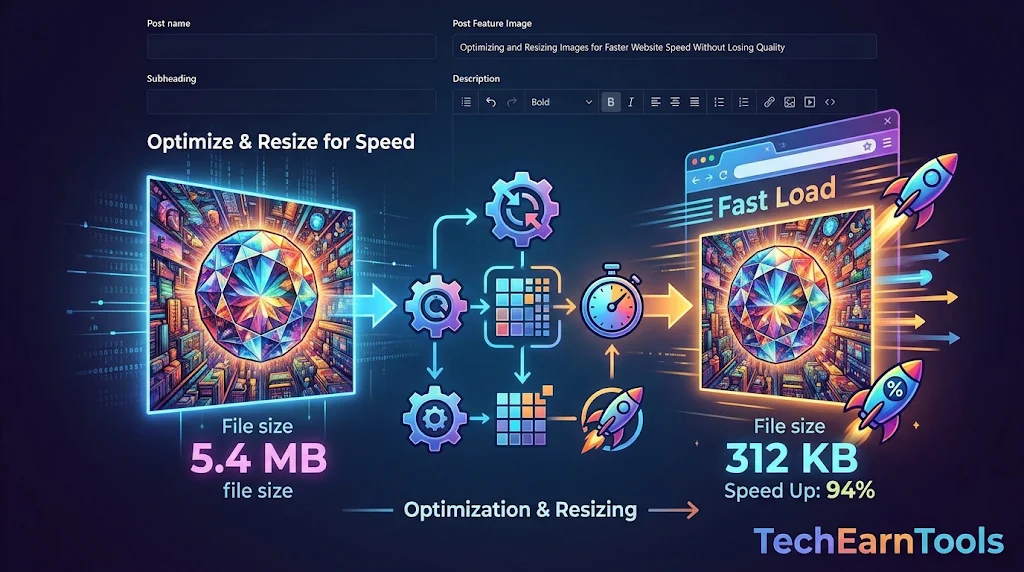
Size images for their real space: Using Image Resizer helps keep dimensions sensible so pages and uploads stay clean rather than oversized.
-
Prepare proper site icons: A crisp browser icon gives a site personality in open tabs and bookmarks, which is where ICO Converter comes in handy when turning an image into an icon format.
-
Know when data encoding makes sense: Developers and builders sometimes embed small assets directly into code or data strings using Image to Base64, Base64 Encode, or Base64 Decode depending on what a template or workflow requires.
-
Keep original files organized: Save clean working copies in dedicated folders so you never overwrite a high-resolution source by accident.
Working Smoothly With Colors, Codes, and Data
Anyone who touches web design, front-end tweaks, or digital formatting eventually deals with color codes, encoded strings, and checksums. You do not need to memorize every conversion by heart, as long as you know how to check values accurately when building or troubleshooting.
Color consistency is a great example. A shade that looks great in one spot can feel slightly off in another if you mix up formats while editing styles or graphics. Switching quickly between RGB to HEX and HEX to RGB keeps your palette consistent across stylesheets, buttons, and visual mockups without guesswork.
On the technical side, everyday web work often involves checking text encodings, verifying file integrity, or looking up network details:
-
Encoding and decoding text cleanly: Tools like Base64 Encode and Base64 Decode help when moving text data across formats that expect ASCII-safe strings.
-
Generating quick checksums: A utility like MD5 Generator can produce a hash digest for basic checks or reference comparisons, though modern security-sensitive tasks often call for stronger cryptographic algorithms.
-
Checking network and connection info: Looking up details with IP Address Lookup is useful when diagnosing access questions, regional behavior, or basic network troubleshooting.
-
Testing before pushing changes live: Always verify a color, code snippet, or converted value in a preview or staging check before assuming everything works everywhere.
How Students and Everyday Learners Can Stay Organized
You do not have to be a developer or a full-time creator to benefit from structured online habits. Students, researchers, and everyday learners handle heaps of notes, articles, and reference links every week, and small organizational habits prevent last-minute scrambles.
One of the easiest wins is separating research from drafting. While you are gathering facts or ideas, focus on capturing clear notes without obsessing over polish. Once you start writing or summarizing, slow down and organize your points so another person—or your future self a month later—can actually follow your logic.
A few practical habits make studying and online research much smoother:
-
Bookmark trusted reference pages: Keep a clean folder of reliable tools and guides instead of searching from scratch every time you need a basic utility.
-
Summarize in your own words: Rewriting an idea after reading it tests whether you truly understand it rather than just copying phrases.
-
Take short breaks during long sessions: Stepping away for a few minutes clears mental fog and helps you catch mistakes you would miss while tired.
-
Double-check facts and dates: Always verify key claims, numbers, and instructions against reliable sources before relying on them in assignments or projects.
Practical Habits for Growing a Helpful Website
If you build or manage a website, visitor trust is earned one detail at a time. People decide very quickly whether a site feels helpful, clean, and worth coming back to—or confusing and neglected.
Good site habits start with clarity. Every page should have an obvious purpose, readable spacing, accurate descriptions, and working links. When someone lands on a tool or guide looking for an answer, they should immediately see what the page does and how to use it without wading through fluff.
Consistency matters just as much as occasional bursts of effort. Publishing a few thoughtful updates, keeping existing pages accurate, and checking how your site behaves on both desktop and mobile screens builds steady quality over time. A site that feels dependable naturally earns repeat visits and word-of-mouth sharing.
Mistakes to Avoid as Your Workflow Grows
As you take on more tasks or publish more content, a few common traps can sneak in and slow you down. Recognizing them early keeps your workflow clean.
First, avoid doing everything at the last minute in a rush. Rushing leads to copy-paste slips, wrong URLs, forgotten updates, and overlooked details. Even a quick two-minute review before finishing a task catches plenty of small errors.
Second, do not overcomplicate simple jobs. If a lightweight browser tool solves a task cleanly in seconds, you do not always need a heavy app or an elaborate workaround. Save complex tools for genuinely complex work.
Third, resist the urge to chase every shiny trend at the expense of fundamentals. Clear writing, fast pages, strong account security, and accurate information stay valuable year after year, no matter how interfaces or platforms evolve.
A Simple Checklist for Smoother Daily Work
Whenever you sit down to study, create, or work on a site, a short mental checklist can keep you grounded:
-
Pick one main goal before opening ten tabs: Know what you are trying to finish first so distractions do not pull you off track.
-
Use quick utilities for quick tasks: Keep go-to tools like Password Generator, Image Resizer, RGB to HEX, and IP Address Lookup handy for fast checks.
-
Verify your output before moving on: Check spelling, dimensions, codes, or links once before closing the tab.
-
Keep your workspace tidy: Clear out clutter regularly so your next session starts fresh.
Bringing It All Together
Working smarter online is not about magic shortcuts or staring at screens longer. It is about cutting out unnecessary friction, protecting your accounts, keeping your visuals and technical checks clean, and building steady habits that fit how you actually work.
With a few reliable browser habits and practical tools from TechEarnTools within reach, everyday digital tasks become faster, calmer, and far less stressful—leaving you more room to build, learn, and create.

Popular Tools
Recent Posts